A free plugin that finds out why your WordPress or WooCommerce site’s emails go to spam or never arrive, and keeps a log of what your site sends.
What it checks
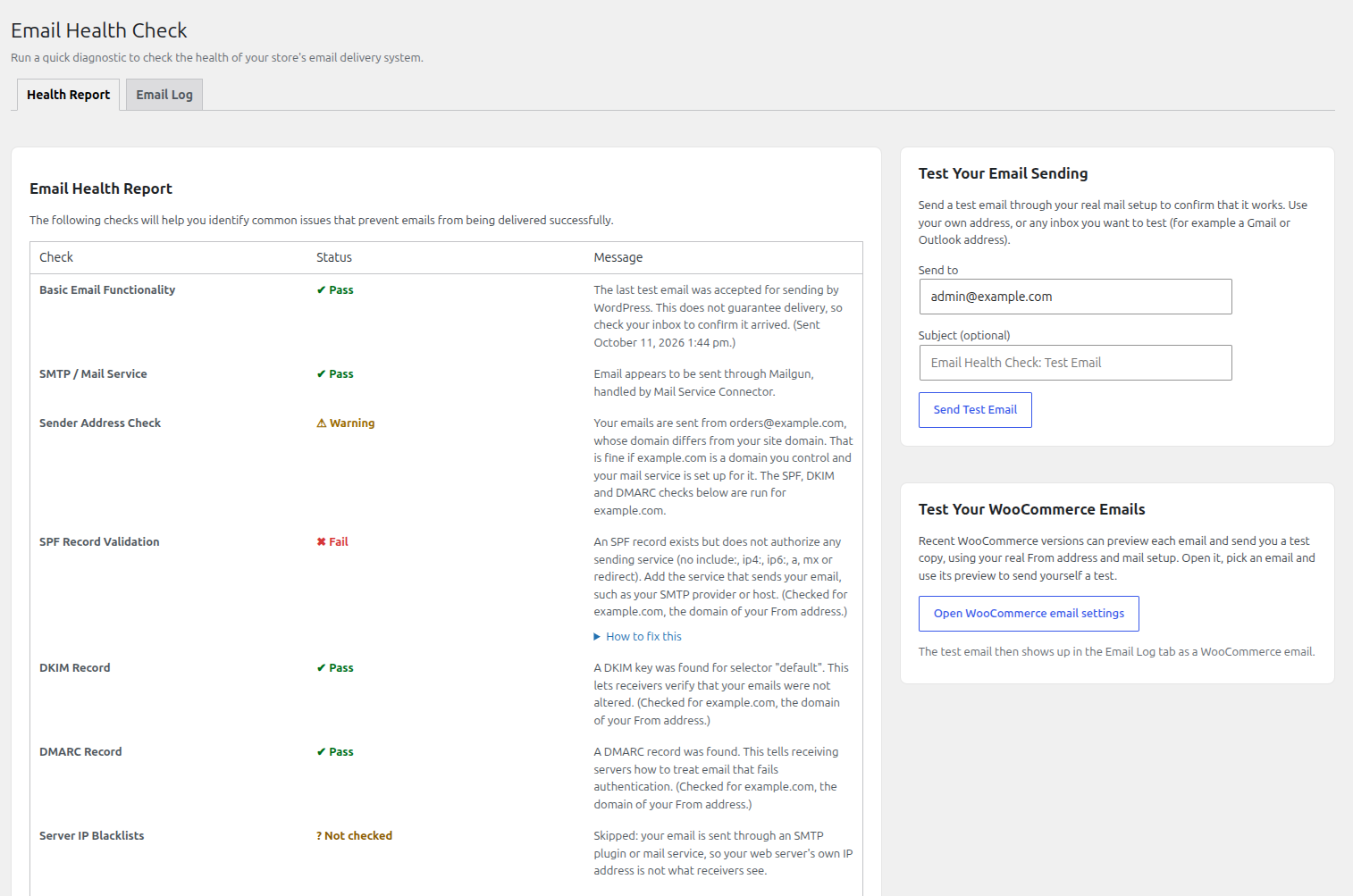
The Health Report shows Pass, Warning or Fail for each check. The page opens at once and the checks run in the background, so slow DNS lookups never hold it up.
- How your site sends email. Warns when mail goes out through plain PHP mail (the basic method most hosts provide, which receivers often distrust). Names the plugin that handles your outgoing email when it finds one.
- Basic email functionality. Shows the result of your last test email, with the time and any error.
- Sender address. Checks the address your site really sends from, and warns when its domain differs from your site’s domain or is a public mailbox.
- SPF, DKIM and DMARC. Three DNS records that let receiving servers verify your email. They are checked for the domain you send from, since that is what receivers verify. DKIM shows “Not checked” when your provider uses a key name the plugin cannot guess. It does not call that a failure.
- Server IP blacklists. When you send straight from your own server, your server’s IP address is looked up on two free public lists. See External services.
- WooCommerce email setup. Flags key emails that are turned off, a missing new-order recipient, an invalid From address and outdated theme overrides of email templates. It only reads your settings.
- Unpaid orders. Warns when many recent orders are stuck in “Pending payment” or “Failed”. It reads only order counts.
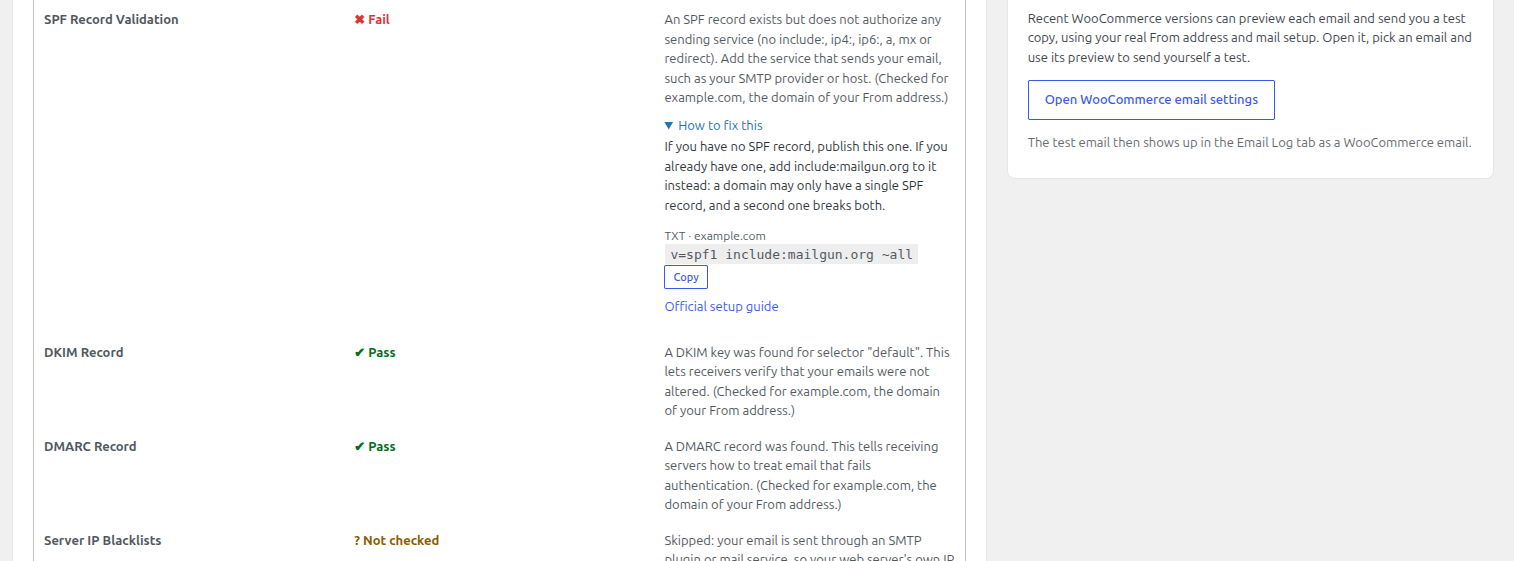
Failing SPF, DKIM and DMARC checks show a “How to fix this” panel with a record to copy where your provider documents one, and a link to the provider’s official guide.
The email log
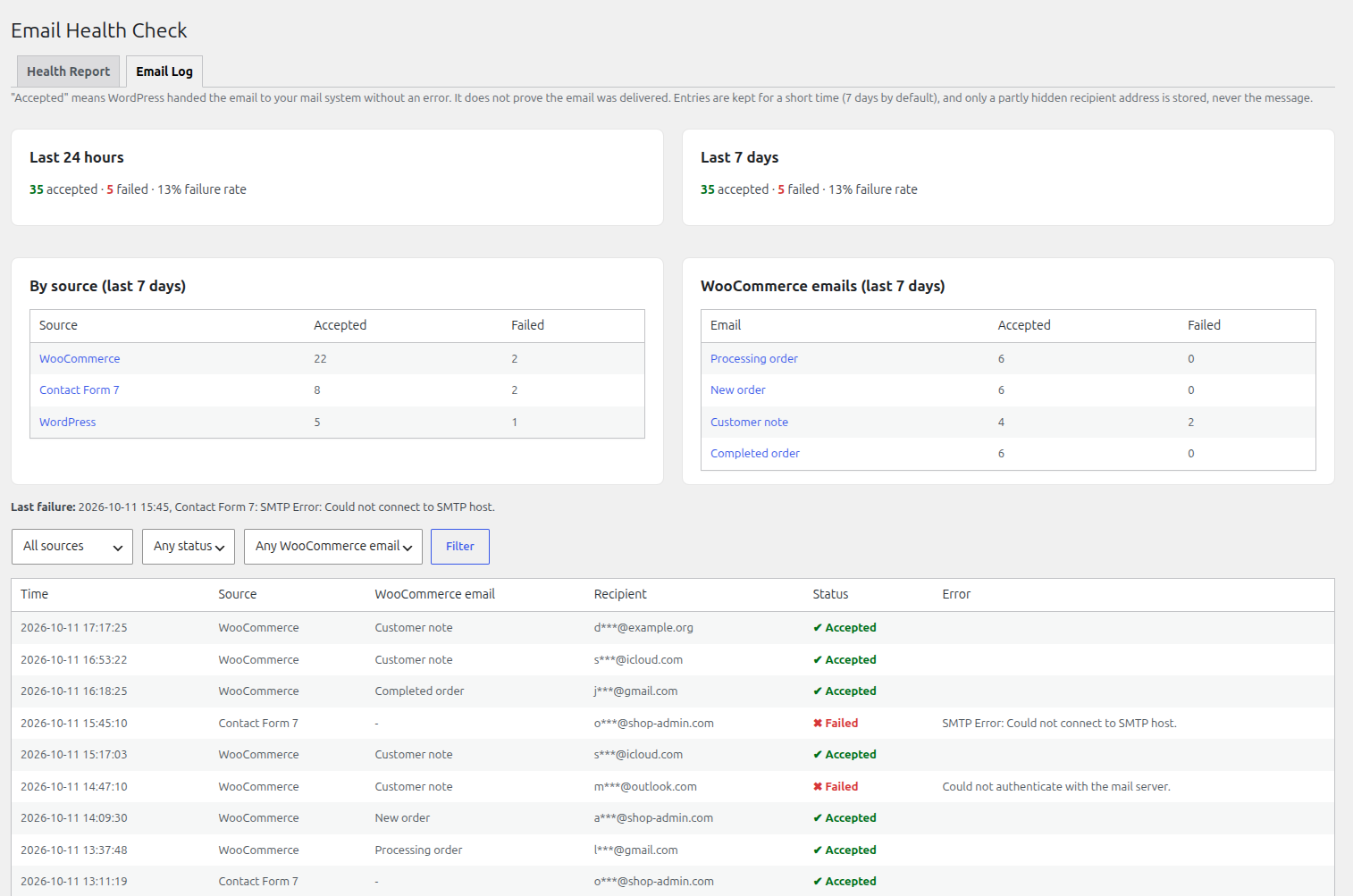
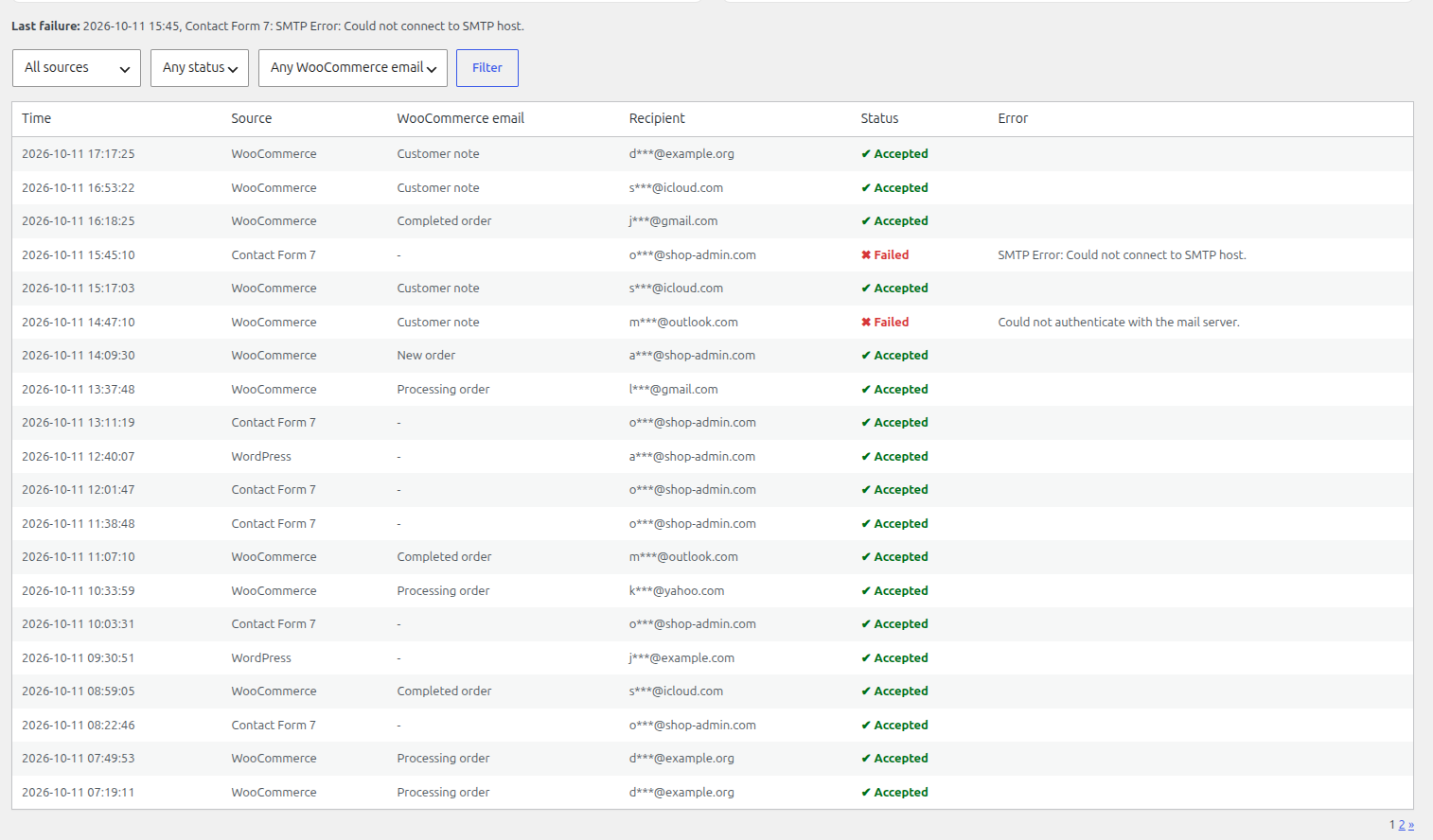
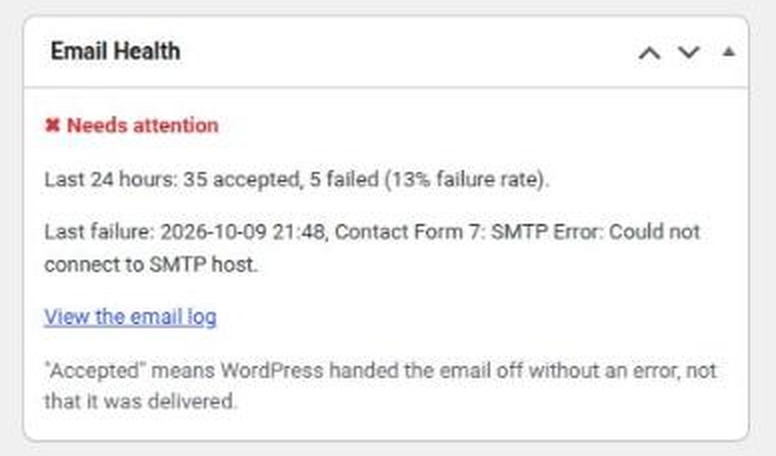
Every email your site sends (WooCommerce, other plugins and WordPress itself) is listed with its source, WooCommerce email type, status and error. You can filter the list and see accepted and failed counts for the last 24 hours and 7 days.
- Only a partly hidden recipient address is stored, never the message, its subject or a full address.
- Entries are deleted automatically after 7 days by default. You can shorten that to 3 days or 1 day, turn logging off, or clear the log.
More detail is on the External services and your data page.
Also included
- A short getting-started checklist for new installs, which you can hide.
- A “Copy support report” button: a plain-text summary of your setup to paste into a support ticket, with no passwords, message contents or full email addresses. It does include your site and mail domains and, if the blacklist check ran, your server’s IP address, so look it over before you post it in public.
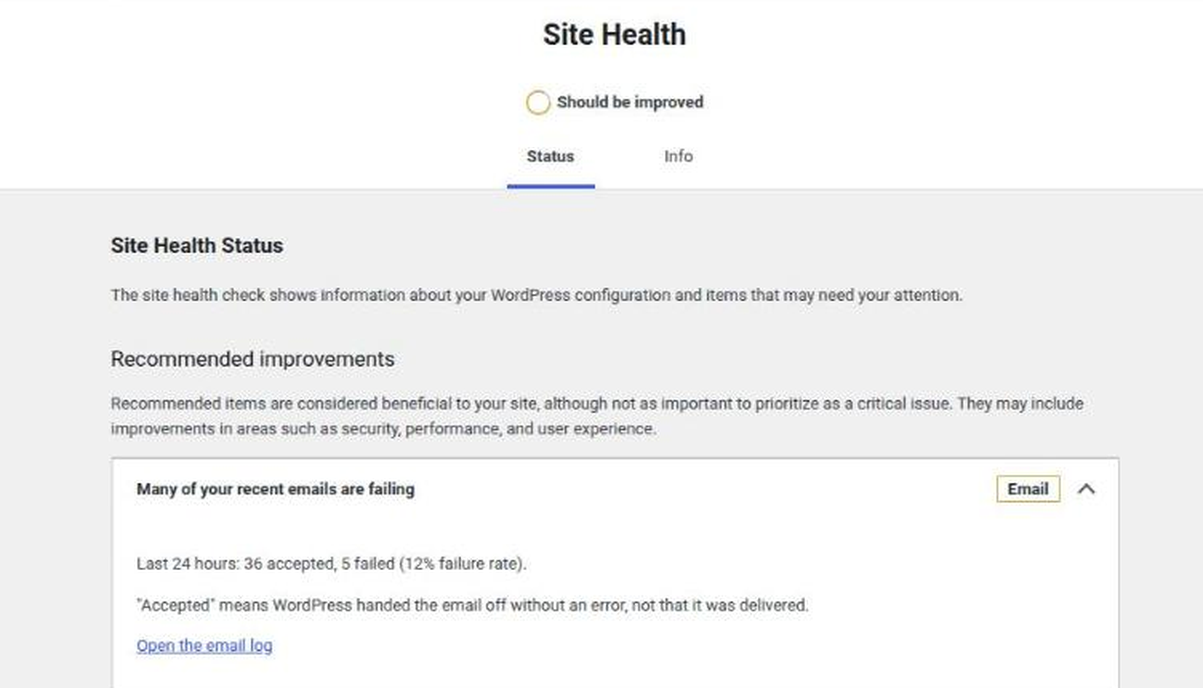
- Failure alerts in the dashboard and in Tools > Site Health.
- WP-CLI commands (
wp ehc checkandwp ehc log) for people who work from the command line. - A single, dismissible request for a review on WordPress.org, shown only on the plugin’s own screens.
What it does not do
- It is not an SMTP plugin (a plugin that sends your email through a proper mail service) and does not send email for you. If the report says your site uses plain PHP mail, an SMTP plugin or a mail service is the usual fix, and you choose one.
- It does not change your DNS records. It shows what to change.
- It does not track you: no usage tracking, no analytics, no account, and nothing is sent to us.
- No upsell banners. It is free.
- Apart from the one documented DNS blacklist lookup, no data leaves your site.
- It cannot see whether an email reached the inbox. The log says “Accepted”, not “Delivered”.
Requirements
- PHP 7.4 or newer.
- WordPress 5.0 or newer. The email log needs WordPress 5.9 or newer. Without it, the checks still work.
- WooCommerce is optional (8.0 or newer if you use it). Without it, the report, the log and the alerts still work; only the WooCommerce-specific parts are hidden.
Screenshots
Get it and get help
Back to the home page. What the plugin sends and stores is on the External services and your data page. You can reach us on the contact page.
Install it from WordPress.org or search for “Email Health Check” under Plugins > Add New in your dashboard. Questions go to the support forum.
WooCommerce is a trademark of Automattic Inc. This plugin is independent and is not affiliated with or endorsed by WooCommerce or Automattic.